
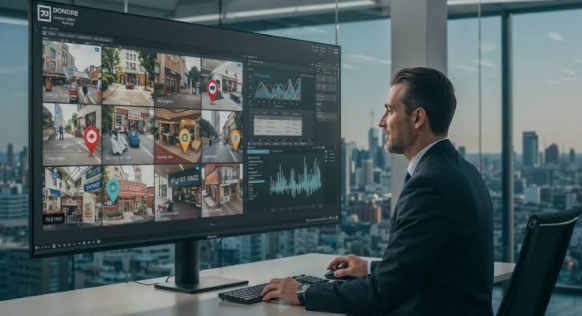
The system that worked perfectly for your first store can start to buckle once you open a second, third, or fourth location. Inventory that used to live in your head now needs to be tracked across multiple buildings, staff schedules multiply, and comparing performance between locations becomes a genuine reporting challenge. A Retail POS designed to scale helps growing retailers avoid rebuilding their entire operation every time they open a new door.
Centralized Inventory Across Locations
One of the first pain points multi-location retailers hit is not knowing what’s in stock where. A customer calls asking if a specific item is available, and staff has to phone another store to check. Centralized inventory visibility solves this instantly, letting any location see stock levels across the whole business and even facilitate transfers between stores when one location sells out.
See also: Bringing Damaged Vehicles Back to Life with Car Body Repairs Telford
Consistent Pricing and Promotions
As you add locations, keeping pricing and promotional campaigns consistent becomes harder to manage manually. A system that lets you push pricing updates and sales events across every store at once, rather than updating each register individually, saves considerable time and prevents the awkward situation of a customer noticing different prices at two of your locations.
Comparing Performance Between Stores
Multi-location owners need to know which stores are thriving and which need attention, and generic single-location reporting doesn’t answer that question well. Look for reporting that breaks down sales, labor costs, and inventory turnover by location side by side, so underperformance gets caught early rather than discovered months later during a broader financial review.
Staff Management Across Multiple Sites
Scheduling, permissions, and payroll all get more complex once you’re managing staff across several buildings. A system with role-based access lets you control what each employee can see and do, whether that’s a manager who needs full reporting access or a part-time cashier who only needs to process transactions.
Handling Transfers Between Locations
Moving inventory between stores is common for multi-location retailers, whether to rebalance stock or fulfill a customer request from another location. This needs to be trackable within the system itself, with a clear record of what moved where and when, rather than relying on someone remembering to update a spreadsheet after the fact.
Onboarding New Locations Smoothly
Opening a new store shouldn’t mean rebuilding your entire product catalog and pricing structure from scratch. A scalable system lets you clone settings from an existing location, adjusting only what’s genuinely different, like local tax rates, which dramatically speeds up the setup process for each new site you add.
Choosing Between Cloud and On-Premise Setups
Multi-location retailers generally benefit from cloud-based systems that centralize data automatically, rather than relying on each store to sync manually or, worse, operate on entirely independent local databases. Cloud infrastructure means a corporate report pulled on a Monday morning reflects Sunday’s sales from every location instantly, without anyone needing to manually export and combine files from each individual store.
Franchise and Multi-Owner Considerations
Retailers expanding through franchising or multiple owners often need reporting that respects ownership boundaries while still giving corporate oversight into overall performance. This balance between local autonomy and centralized visibility is worth discussing directly with any provider before committing to a system for your growing business.
Planning Your Technology Roadmap
Before your second location opens, it’s worth mapping out how you expect to scale over the next few years. A system that handles two locations fine but struggles at ten forces a disruptive migration right when you’re busiest with growth. Choosing scalable technology early avoids that particular headache down the road.
Keeping Regional Differences in Mind
Locations in different cities or states often need to account for varying tax rates, regional promotions, or even slightly different product assortments based on local demand. A system that supports these regional variations without requiring an entirely separate configuration for each store lets you keep most settings standardized while still allowing for the local flexibility that different markets genuinely require.
This matters just as much for compliance as it does for merchandising. Getting tax rates wrong at even one location can create real headaches at filing time, so automated, location-specific tax handling is worth confirming directly with any provider before you open that next store. A quick audit of settings after each new location launch can catch a misconfigured tax rate before it compounds into a bigger problem months later.
Bringing It Together
Growing from one store to several is exciting, but it exposes weaknesses in systems that weren’t built with multi-location operations in mind. Investing in a checkout system that scales alongside your business means less time firefighting operational gaps and more time actually focused on where to open next, rather than untangling the same inventory and reporting problems at every new address.
