
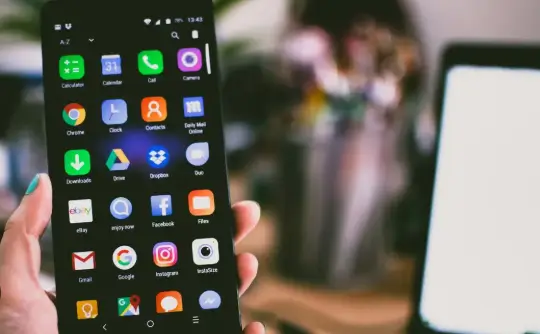
Short browser games can make a phone show every bad habit it has been carrying around. A device may scroll through social apps, open videos, and handle messages without complaint. Then one quick game loads, a tap lands late, or the screen freezes for a second. It feels as if the site failed, but the phone may be part of the problem. Old tabs, weak data, full storage, battery limits, and cached browser files can all affect short sessions. Tech users see the same pattern with streaming tools, cloud dashboards, and lightweight web apps.
The device sets the tone before the game opens
Anyone opening desi play crash duel x expects the screen to react quickly. That expectation is fair, but the phone still has work to do before the first tap feels clean. The browser needs memory. The connection needs to stay steady. The device needs some open storage for temporary files. If those basics are messy, even a small browser game can feel heavier than it really is.
This is where many people lose time. They reload the same screen several times, blame the site, then clear random data or switch browsers. A calmer first check usually works better. Close old video apps. Remove tabs that have been sitting open for days. Restart the phone if it has been running since morning. These steps are boring, but they often fix the kind of lag that looks mysterious at first.
Storage trouble hides in ordinary folders
Phones fill up quietly. Screenshots, downloads, short clips, old APK files, memes, and chat media sit in folders long after anyone needs them. The phone still looks usable because messages and calls work. A browser game may expose the problem faster because it needs cache, page data, and quick response from the device.
The downloads folder deserves the first look. Many users keep several copies of similar files without noticing. A browser may also hold old cached versions of pages. That can make a fresh screen behave strangely after updates. Clearing useless files gives the phone room to breathe. It also makes the device easier to troubleshoot when something still feels off. One clean browser tab tells more than five old sessions fighting for memory.
Network checks should happen early
Signal bars do not tell the whole story. A phone can show a strong connection while data still moves poorly. Public Wi-Fi in cafés, offices, hostels, or buses can load simple articles yet struggle with pages that need quicker updates. Mobile data may work better in the same spot. A VPN can also slow the route or make access behave differently.
Before blaming the site, test the basics:
- Switch between Wi-Fi and mobile data.
- Open the screen in a fresh browser tab.
- Turn off VPN during basic testing.
- Close apps pulling data in the background.
- Clear browser cache if the same issue repeats.
- Check whether battery saver is limiting activity.
These checks keep the phone from turning a small delay into a longer problem. If the game works on mobile data but not Wi-Fi, the network was likely involved. If both feel slow, storage, cache, or browser memory may need attention.
A late tap is usually a clue
A delayed button does not always mean the screen is broken. Sometimes the browser is waiting for the network. Sometimes the phone is low on memory after hours of videos, maps, and messages. Sometimes old cache is getting in the way. Repeated tapping can make things worse because the page may receive more requests than needed. A short pause, one reload, and a network switch give a cleaner answer than tapping the same spot again and again.
Battery modes can slow quick screens
Modern phones try hard to save power. That helps during a long day, but it can make browser games feel odd. Battery saver may slow background refresh. Data saver can limit loading. Do Not Disturb can hide alerts that the user expected to see. Bluetooth can send sound to earbuds across the room, making the phone seem silent for no clear reason.
Tech sites often talk about app performance as if the app sits alone. It never does. The phone carries browser settings, storage history, connection routes, privacy rules, and notification choices into every session. When those settings are too strict or too messy, a quick game feels less responsive. Checking them first is much easier than rebuilding the whole setup later.
Privacy belongs in the same setup
Quick browser games can feel casual, but private access still deserves care. A screen lock should be active before account use. Saved passwords should not sit on shared devices. Lock-screen previews can show account messages to people nearby. Public Wi-Fi may be fine for reading tech news, but private account actions are safer on a trusted connection.
Shared phones need even more caution. A family member may tap a saved page by mistake. A child may open a notification without knowing what it means. A guest may see private activity on the lock screen. Hidden previews, safer passwords, and logging out after use can prevent awkward moments. These habits also help with email, shopping, wallets, cloud storage, and work apps.
A short session should not become tech cleanup
A clean phone makes quick games easier to use. Enough storage, fewer old tabs, steady data, quiet alerts, and safer login habits can change the whole session. The device does not have to be new. It needs fewer leftovers from weeks of downloads, clips, open tabs, and background apps.
Short browser games reveal a simple tech truth: speed comes from the page, the browser, the network, and the condition of the phone together. When those pieces are in decent shape, the screen reacts faster and the user spends less time guessing what failed. That keeps a short break short, which is exactly what it should be.
